Toolbar & Application Scale
Toolbar scale
Section titled “Toolbar scale”The Toolbar category scales the areas at the top of the Level Editor.
| Setting | Area |
|---|---|
| Menu Bar | Main menu (File, Edit, Window, …) and the level tab row below it |
| Main Toolbar | Main toolbar (Selection Mode, Play, …) and the mode toolbar |
| Viewport Toolbar | Toolbar at the top of each level viewport (Perspective, Lit, …), viewports 1–4 |
The 3D view itself is not scaled. Only the toolbar is.
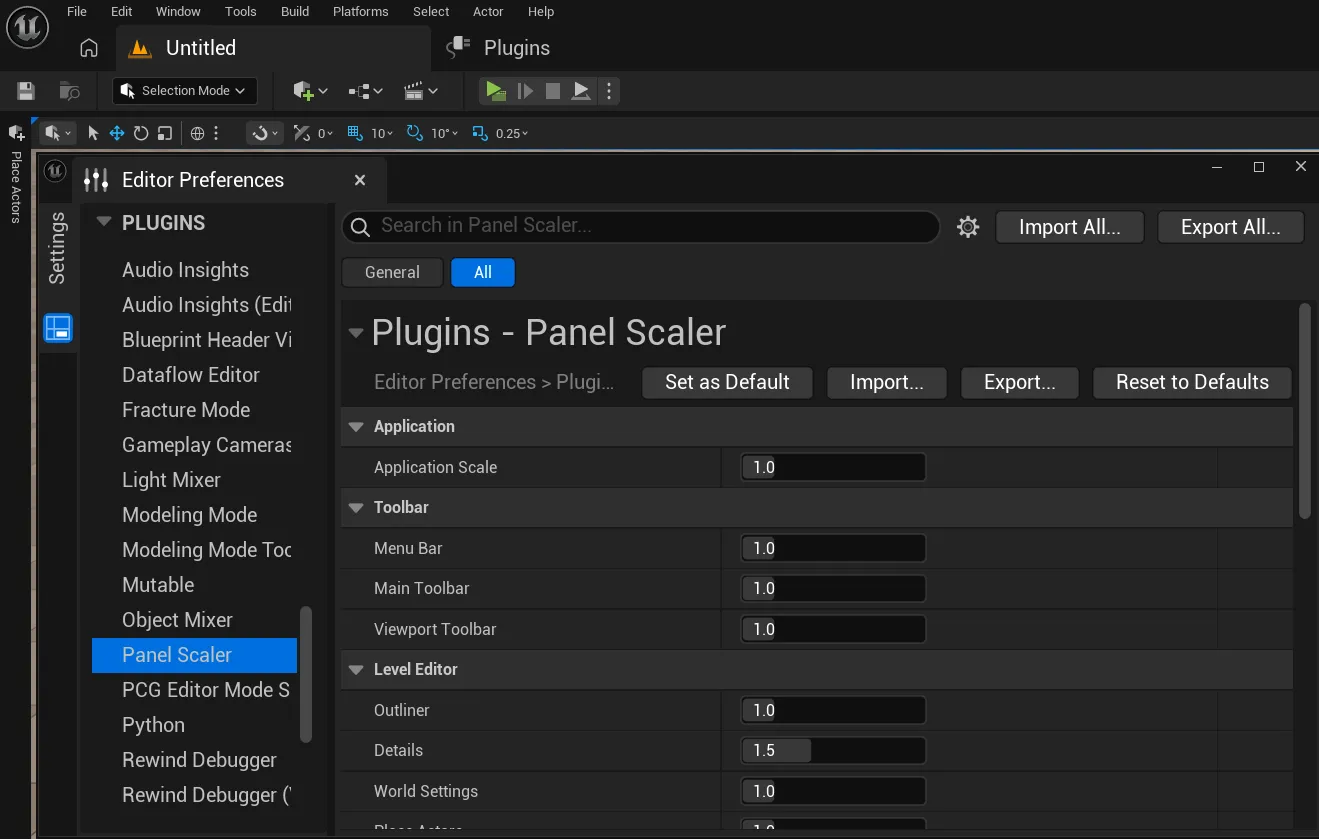 Menu Bar, Main Toolbar and Viewport Toolbar at
1.0
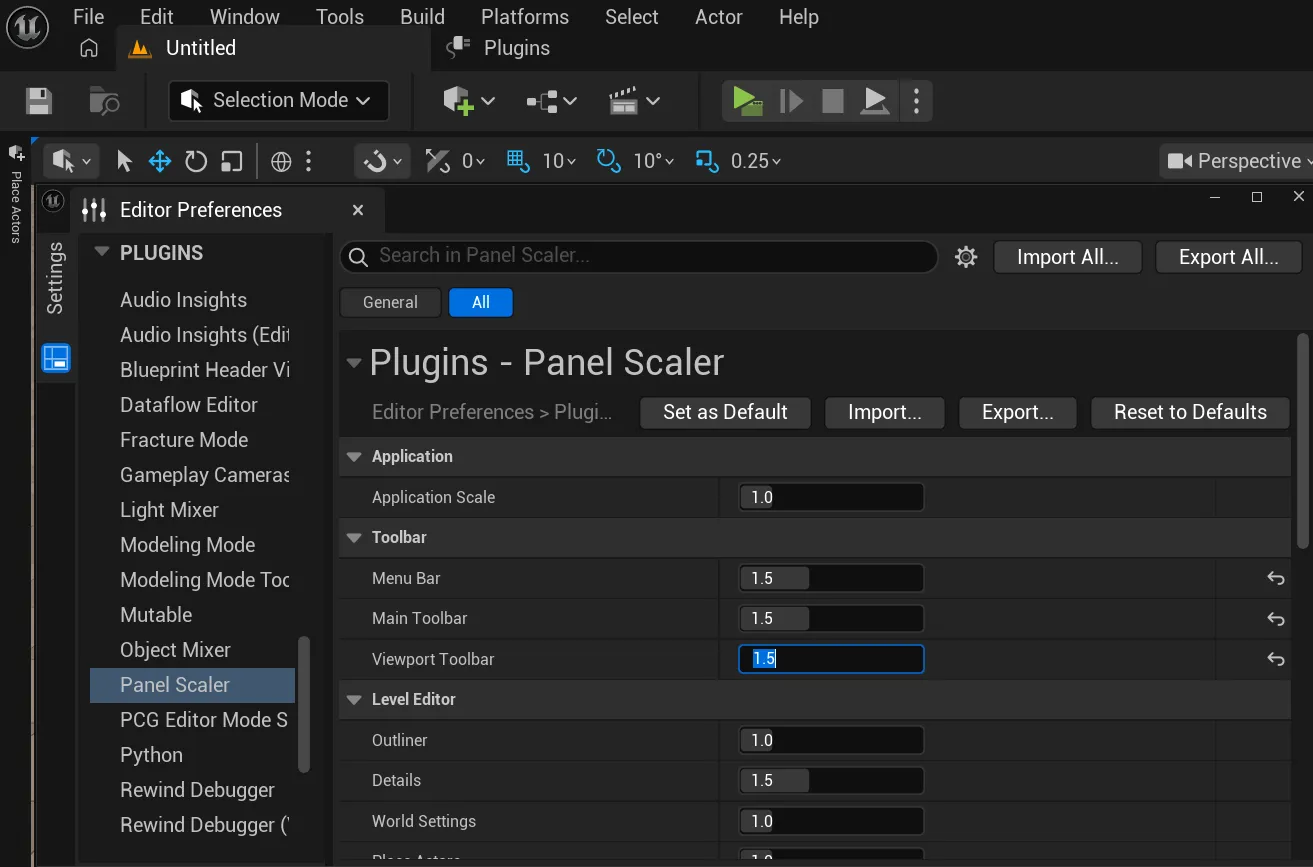 All three at
1.5
Application Scale
Section titled “Application Scale”The Application category shows the engine’s own Application Scale (the same value as Editor Preferences → Appearance → Application Scale).
- Changing it here changes the engine setting, and vice versa.
- The value is stored by the engine, so the two pages never disagree.
Application Scale and panel scales multiply. With Application Scale 1.2 and Outliner 1.5, the Outliner is drawn at 1.8× the default size.