Location: Edit → Editor Preferences → Plugins → Panel Scaler
All scale values range from 0.5 to 3.0 (default 1.0) and apply immediately.
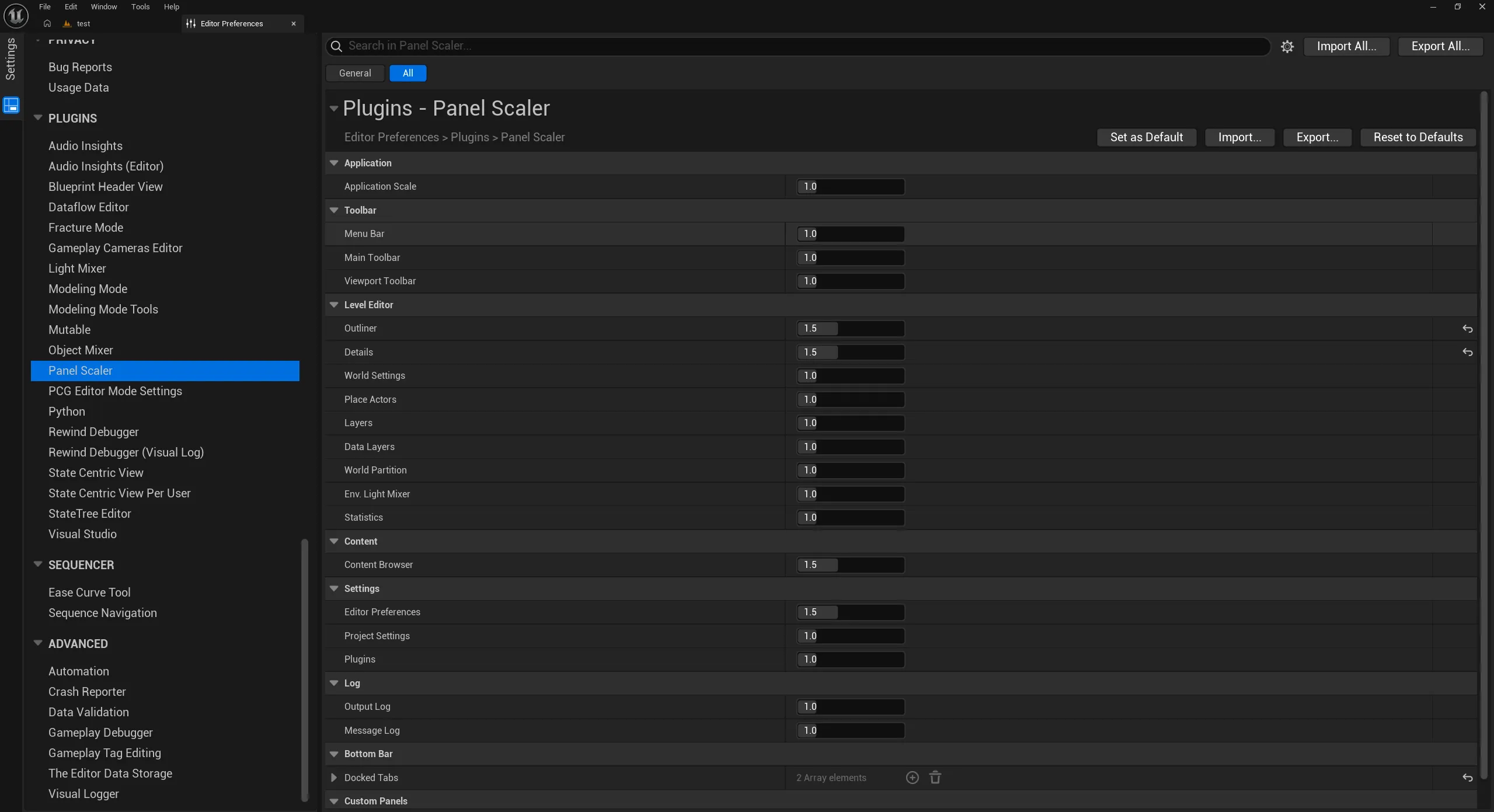
| Setting |
Affects |
| Application Scale |
The whole editor. Same value as Appearance → Application Scale. Not stored by Panel Scaler. |
| Setting |
Affects |
| Menu Bar |
Main menu bar and the level tab row |
| Main Toolbar |
Main toolbar and mode toolbar |
| Viewport Toolbar |
Viewport toolbars (viewports 1–4) |
| Setting |
Tab Id |
| Outliner |
LevelEditorSceneOutliner, LevelEditorSceneOutliner2–4 |
| Details |
LevelEditorSelectionDetails, LevelEditorSelectionDetails2–4 |
| World Settings |
WorldSettingsTab |
| Place Actors |
PlacementBrowser |
| Layers |
LevelEditorLayerBrowser |
| Data Layers |
LevelEditorDataLayerBrowser |
| World Partition |
WorldBrowserPartitionEditor |
| Env. Light Mixer |
LevelEditorEnvironmentLightingViewer |
| Statistics |
LevelEditorStatsViewer |
| Setting |
Tab Id |
| Content Browser |
ContentBrowserTab1–4 |
| Setting |
Tab Id |
| Editor Preferences |
EditorSettings |
| Project Settings |
ProjectSettings |
| Plugins |
PluginsEditor |
| Setting |
Tab Id |
| Output Log |
OutputLog |
| Message Log |
MessageLog |
| Setting |
Description |
| Docked Tabs |
Tabs currently docked to the Bottom Bar (read-only). Use Dock to Bottom Bar / Restore to Panel to change it. |
| Field |
Description |
| Tab Id |
Tab Id of any other tab. See Finding a Tab Id. |
| Scale |
Scale for that tab. Overrides the built-in setting for the same Tab Id. |
; <Project>/Saved/Config/WindowsEditor/EditorPerProjectUserSettings.ini
[/Script/PanelScaler.PanelScalerSettings]